
Duet Tiles - Rhythm Music Game
AMANOTES PTE. LTD.Music
3.6106.00 Reviews
- Version
- 1.9.73
- Installs
- 10.00M
- Age Rating
- Teen
Screenshots

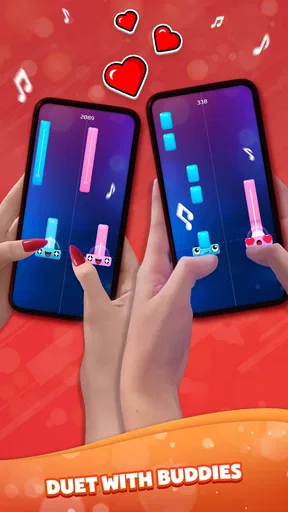
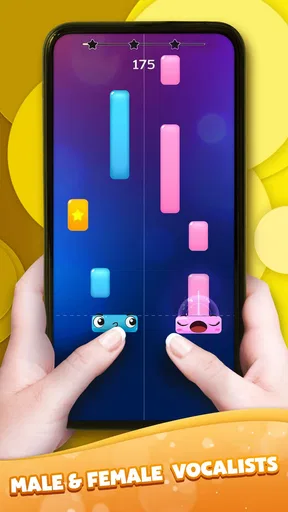
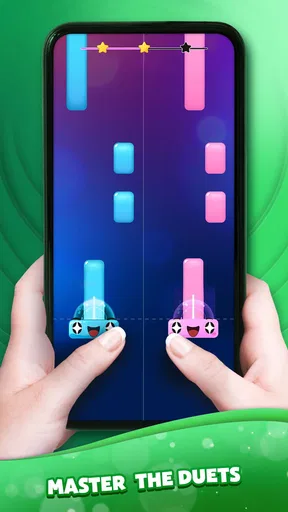
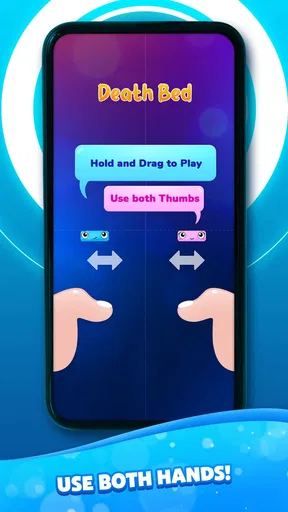

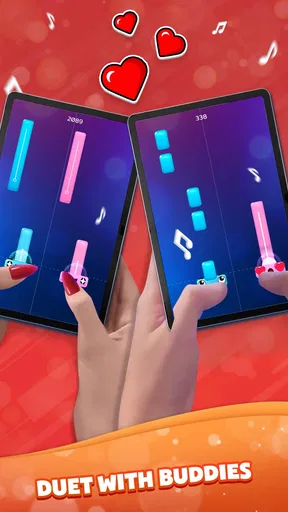
Our Review of Duet Tiles - Rhythm Music Game
 Analysis by Appyee
I approached Duet Tiles - Rhythm Music Game as a quick music game rather than a serious instrument-learning tool, and that distinction matters from the first minute. Its basic appeal is easy to understand: you follow musical patterns by tapping and swiping, while the duet format gives the playfield a more collaborative, split-performance feeling than a standard one-lane piano game. I found it most enjoyable when I wanted something immediate, visual, and easy to play in short sessions.
The game comes from AMANOTES PTE. LTD. and is free to install, with optional purchases ranging from $0.99 to $48.99 per item. It is listed for Teen users, runs on Android 7.0 or later, and its current version is 1.9.62. Those details make it accessible to a wide range of phones, but the real question is not whether it can run. The better question is whether this particular rhythm format suits the way you like to play music games.
How I Decide Whether This Rhythm Game Is Worth Keeping
My first decision criterion is the control style. Some music games ask you to hold a steady beat, some focus on falling notes, and others are closer to a virtual piano. This one sits between those ideas. You react to tiles with taps and swipes, but the duet presentation makes you pay attention to more than a single uninterrupted stream. That creates a slightly different mental rhythm: I was not only watching for the next note, but also trying to keep the two musical parts feeling connected.
That makes the game a good match for players who enjoy quick visual reactions and recognizable pop-style musical phrasing. It is less suitable if your main goal is to learn finger placement, read conventional sheet music, or practice a real instrument. The controls may resemble piano keys, but I would treat that as an arcade presentation rather than a lesson. The satisfaction comes from timing and flow, not from building a transferable piano technique.
I also consider how well a game fits ordinary routines. A rhythm title needs to be playable when I have only a few minutes, because that is often when I reach for one. Duet Tiles works naturally in that setting. I can start a song, concentrate on the pattern, and stop without needing to commit to a long campaign. That short-session quality is one of its strongest practical advantages.
A realistic example is a commute or a waiting room. With headphones and a little concentration, I can use a song as a focused break instead of opening a game that requires a long explanation or a complicated setup. The catch is that rhythm games demand attention, so I would not use it while walking through traffic, crossing a street, or doing anything that requires awareness of my surroundings.
Another decision point is tolerance for repetition. Rhythm games naturally ask you to replay songs, because improvement comes from recognizing patterns and correcting mistakes. I enjoyed that loop when I felt close to completing a difficult passage. If repeated attempts feel frustrating to you, the duet concept alone may not be enough to keep the experience fresh. This is a game for players who enjoy turning a messy first attempt into a cleaner one.
The age label is Teen, which is worth considering for families choosing games for younger players. I would still look at the purchase settings on the device before handing it over, since the free download includes optional in-app purchases. The presence of a free entry point is convenient, but “free” should be understood as a way to try the game, not as a promise that every part of the experience is equally available without spending.
What the duet format changes during play
The two-part idea gives the game more personality than a basic tap-to-the-beat design. In a conventional rhythm lane, I can sometimes settle into a single repetitive motion. Here, the split musical presentation encourages me to track transitions and coordinate my attention. Even when the action remains simple, the sense of answering or joining another part makes the song feel more like a performance.
That design also creates a useful trade-off. It can make familiar songs feel more active, but it may be less comfortable for someone who wants the calmest possible rhythm game. When the screen becomes busy, I have to prioritize timing over looking at every visual detail. My practical tip is to focus on the next playable pattern instead of trying to admire the entire animation. The game becomes easier to read once I stop treating every screen element as equally important.
I found that swipes deserve a different approach from taps. Taps are easy to understand immediately, while swipes require a smoother gesture and better anticipation. Rather than waiting until the last instant, I recommend reading the direction early and moving with the rhythm. That small adjustment reduces rushed motions and is especially helpful when a song shifts quickly between simple taps and longer gestures.
Another non-obvious advantage is that the duet structure can make practice feel less mechanical. Replaying a section is not only about chasing a score; it is also about making both sides of the musical exchange feel balanced. I paid more attention to transitions than I normally would in a one-track piano game. Players who like the feeling of performing along with a partner may respond well to that presentation, even if they are not competitive score chasers.
Where this game is strongest
The strongest part of the experience is its immediacy. I do not need to understand a complicated ruleset before trying a song. The connection between the music, the moving tiles, and the required gesture is clear enough to grasp through play. That makes it approachable for someone who has played rhythm games before but does not want to learn another elaborate system.
It also works well as a casual alternative to more demanding music games. A traditional rhythm title may offer deeper scoring systems or stricter timing, while a piano simulator may emphasize keys and melody. Duet Tiles instead focuses on the feeling of joining a musical sequence. I would choose it when I want a lively, touch-friendly game that sits between a song toy and an arcade challenge.
The game’s popularity gives some useful context without deciding the experience for me. It has passed 10 million installs, carries an average rating of 3.6 from around 3.9 thousand ratings, and has 106 written reviews. I read that combination as a sign of broad reach with a mixed reaction rather than universal approval. In other words, plenty of people are willing to try the concept, but the format will not suit every player equally.
That middle-ground reception matches my own judgment. I can see why the game attracts attention: it is recognizable, quick to start, and visually tied to music. At the same time, players who expect a deep rhythm engine, a full piano-learning experience, or a completely frictionless free game may come away less impressed. The game is at its best when judged as a casual duet-themed rhythm challenge.
I also appreciate that its controls encourage active listening. Even though the player is reacting to visual tiles, the music helps establish when a gesture should happen. My advice is to avoid playing entirely by sight. After a few attempts, try using the beat as a guide and the screen as confirmation. That approach can make patterns feel less like random obstacles and more like phrases within the song.
Where other categories may fit better
If you want to learn piano, a dedicated lesson app is the better choice. Duet Tiles may make you more comfortable with timing and finger movement, but it should not replace structured instruction, note reading, or practice on a real keyboard. I would recommend it as a musical warm-up, not as a substitute for an educational tool.
If your priority is competitive precision, look toward rhythm games built around detailed timing judgments and advanced score systems. This game can still provide a challenge, but its main attraction is the duet experience rather than a highly technical performance framework. Players who enjoy perfecting tiny timing differences may eventually want something more specialized.
For people who prefer relaxing music apps, the constant need to tap and swipe may be the wrong fit. This is not background listening. It asks me to interact with the song, and missed notes interrupt the flow. A streaming service or passive music experience is better when I want to unwind without concentrating on a screen.
There is also a difference between this game and multiplayer music experiences. The duet presentation does not automatically mean that another person is playing beside me in real time. I would choose it for the feeling of handling two musical parts through the interface, not because I expect a live partner. That distinction is important for anyone specifically searching for social competition or cooperative play.
Likewise, players who dislike touch controls should think carefully before installing. Taps and swipes are the center of the experience, so a physical controller is not the natural way to enjoy it. The game makes sense on a phone or tablet where the screen is the instrument-like surface. If you prefer buttons, a console rhythm game may feel more comfortable.
The mixed average rating also suggests a practical caution: do not assume that a familiar song concept guarantees long-term enjoyment. Music games are highly personal. Some players connect with the track selection and presentation, while others quickly notice repetition, difficulty spikes, or the limits of a free-to-play structure. I would try it with modest expectations before deciding whether it deserves permanent space on the device.
The cost of changing from another music game
Switching to this game is easy if you are coming from a simple piano-tile or tap rhythm title. The basic habits transfer immediately: watch the incoming pattern, react on time, and learn from missed notes. The main adjustment is learning to read the duet flow rather than treating every note as part of one uniform lane. I needed a little time to stop anticipating the wrong side of the musical exchange.
The switch is less straightforward for players coming from music-learning apps. Those apps often reward accuracy in relation to notes, scales, or exercises, while this game rewards successful interaction with a designed sequence. You may recognize musical timing, but the goals are different. I would keep both installed only if you want entertainment and practice to remain separate rather than expecting one to replace the other.
There is also a mental cost to changing from a slower, relaxed game. The swipe sections can make the experience feel more demanding than its simple controls suggest. My best adjustment was to play a song once without worrying about performance, identify where the transitions occur, and then replay it with those moments in mind. That is more effective than repeatedly reacting late and blaming the entire song for feeling difficult.
The purchase model should be part of the switching decision. Since the game is free to download but offers individual in-app purchases from $0.99 to $48.99, I would decide in advance whether I am only sampling it or likely to spend. Setting a personal limit helps preserve the casual nature of the experience. If you strongly prefer a single upfront purchase with no temptation to buy additional items, another rhythm game may be a better match.
On the positive side, the relatively modest minimum operating-system requirement means that people using older compatible Android devices have a reasonable chance of trying it. The current version is 1.9.62, so I would keep the app updated when possible, especially if the game behaves differently after an operating-system change. I would not choose a phone solely for this title, but its broad compatibility lowers the barrier to experimenting with it.
One useful workflow is to treat each session as a focused song exercise. First, play for familiarity. Second, replay while watching only the next gesture. Third, decide whether the difficulty comes from speed, direction changes, or losing the beat. This simple breakdown helps me improve without turning every miss into a vague feeling that I am “bad at rhythm.” It also reveals whether I enjoy the learning loop enough to continue.
Who should install it, and who should skip it
I would recommend giving it a try if you enjoy pop-oriented music games, quick touch controls, and the feeling of performing alongside a second musical part. It is particularly suitable for short breaks, casual players who want an immediately understandable challenge, and people who like replaying songs to improve their timing.
I would be more cautious if you need a fully free experience, dislike optional purchases, or want a structured music curriculum. The game can be entertaining without spending, but the existence of purchases means it is not the same proposition as a one-time paid title. I would also skip it if visual rhythm gameplay makes you uncomfortable or if you want to listen passively rather than interact.
For parents, the Teen content rating and purchase options make a quick settings check sensible before installation. For adult players, the main consideration is expectation: this is a touch-based music game, not a digital piano and not a professional training tool. Keeping that boundary clear makes the experience easier to judge fairly.
In my case, the best use is as a compact musical distraction. I can play it while waiting for an appointment, use a few attempts to reset my attention after work, or return to a song when I want a small skill challenge. It is not the game I would open for a deep progression system, but it is a convincing choice when I want the phone screen to become a playful instrument for a few minutes.
My recommendation after weighing the trade-offs
Duet Tiles - Rhythm Music Game is worth trying because its duet-centered presentation gives familiar tap-and-swipe gameplay a distinct musical angle. AMANOTES PTE. LTD. has aimed it at accessible, fast sessions rather than a formal lesson environment, and that focus is clear in the way the game turns songs into visual timing exercises.
My recommendation is positive but specific: install it if you want a free-to-start rhythm game with a pop-performance feel, and judge it after several songs rather than after one quick tap. Pay attention to whether you enjoy learning the gesture patterns, not just whether the first track feels easy. That distinction tells you more about long-term fit than the presentation alone.
The right reason to keep this game is the duet rhythm loop, not the promise of becoming a pianist. If that sounds appealing, the short sessions, familiar touch controls, and musical back-and-forth can make it a pleasant everyday game. If you need serious instruction, deep competitive scoring, passive listening, or a purchase-free experience, choose an alternative from those categories instead.
Overall, I see it as a friendly middle option: more interactive than simply listening to music, more approachable than a demanding rhythm simulator, and less educational than a piano-learning app. Its 3.6 average shows that it is not a universal favorite, but the concept is clear enough to make a fair decision quickly. I would try it without paying first, use headphones in a safe setting, and keep it only if the duet format makes replaying songs feel rewarding rather than repetitive.
Privacy and Permissions
See what permissions an app requests and how it handles your data.
- Photos/Media/Files
- read the contents of your USB storage, modify or delete the contents of your USB storage
- Storage
- read the contents of your USB storage, modify or delete the contents of your USB storage
- Wi-Fi connection information
- view Wi-Fi connections
- Other
- view network connections, full network access, control vibration, prevent device from sleeping, Google Play license check, read Google service configuration
Verdict
Strengths of Duet Tiles - Rhythm Music Game
- Simple tap controls make it easy for beginners to start playing.
- Short levels are ideal for quick gaming sessions.
- Rhythm-based gameplay can improve timing and concentration.
- Progressive difficulty keeps experienced players challenged.
- Bright visuals and music create an engaging arcade atmosphere.
Limitations of Duet Tiles - Rhythm Music Game
- Some songs or features may require in-app purchases.
- Repetitive gameplay can become less appealing over time.
- Precise timing may feel frustrating on smaller screens.
- Ads can interrupt the experience between attempts.
- Performance may depend on your device’s touch response.
Other Releases by AMANOTES PTE. LTD.
View All
Tiles Hop Music & Ball Game
Music4.3

Magic Tiles 3™ - Piano Game
Music4.6

Dancing Road Color Balls Match
Arcade4.6

Duet Cats: Music & Meow Game
Casual4.4
Similar Picks in This Category
View AllTiles Hop Music & Ball Game
AMANOTES PTE. LTD.4.3
Magic Tiles 3™ - Piano Game
AMANOTES PTE. LTD.4.6

Real Piano
Bilkon3.7

Piano Game: Classic Music Song
Dream Tiles Piano Game Studio4.0

Smash Colors: Music Ball Rush
BADSNOWBALL HONGKONG LIMITED4.2

Piano Music Go-EDM Piano Games
Joy Journey Music Games4.5
Frequently Asked Questions
What is Duet Tiles - Rhythm Music Game?
Duet Tiles - Rhythm Music Game is a music-based arcade game in which you control two moving tiles and guide them through a sequence of obstacles in time with the soundtrack. Its main challenge is coordinating both sides of the screen while reacting quickly to changing patterns. It is designed for short, fast-paced sessions, with progression based on timing, accuracy, and completing increasingly difficult stages.
How do you play Duet Tiles, and is it difficult for beginners?
The basic controls are generally simple, usually involving taps or swipes to move the tiles and avoid obstacles. However, the two-sided gameplay makes the experience more demanding than a traditional one-tap rhythm game. Beginners can understand the mechanics quickly, but mastering later levels requires concentration, memorizing patterns, and developing a consistent rhythm. Expect a learning curve rather than an entirely casual experience.
Does Duet Tiles require an internet connection to play?
The game may allow some core gameplay to work without a constant internet connection, which is useful when traveling or playing where mobile data is unavailable. Nevertheless, online access can be required for advertisements, updates, cloud-related features, leaderboards, new content, or restoring purchases. Because requirements can vary by version and device, it is best to launch the game once while connected before relying on offline play.
Is Duet Tiles - Rhythm Music Game free to download?
Duet Tiles is typically available as a free download, but free access may be supported by advertising or optional in-app purchases. Depending on the version, purchases can remove ads, unlock content, or provide other convenience features. Before downloading, review the store listing and purchase settings, especially if children use the device. The game can usually be tried without paying, although the complete experience may include optional spending.
Is Duet Tiles suitable for children and all types of players?
Duet Tiles is generally easy to understand and can appeal to players who enjoy music, reflex challenges, and quick arcade sessions. Its main concern is not complicated content but the intensity of the gameplay, which may become frustrating for younger or less experienced players. Check the official age rating, advertising practices, and in-app purchase information before installing it on a child’s device, and consider enabling parental controls.
Play our best games!


